Pick-a-Spot
Redesigning Mindbody's room builder and spot selection experience for a post-pandemic world.
Post-pandemic comfort and control
After 2020, customers wanted to know exactly where they'd be positioned before arriving at a fitness class. Businesses needed better tools to manage their spaces with social distancing and hygiene concerns top of mind.
This feature was aimed at incentivizing more customers to join Mindbody's highest tiered business package: Ultimate Plus. A 10-15% increase in Ultimate Plus subscribers would deem this a massive success.
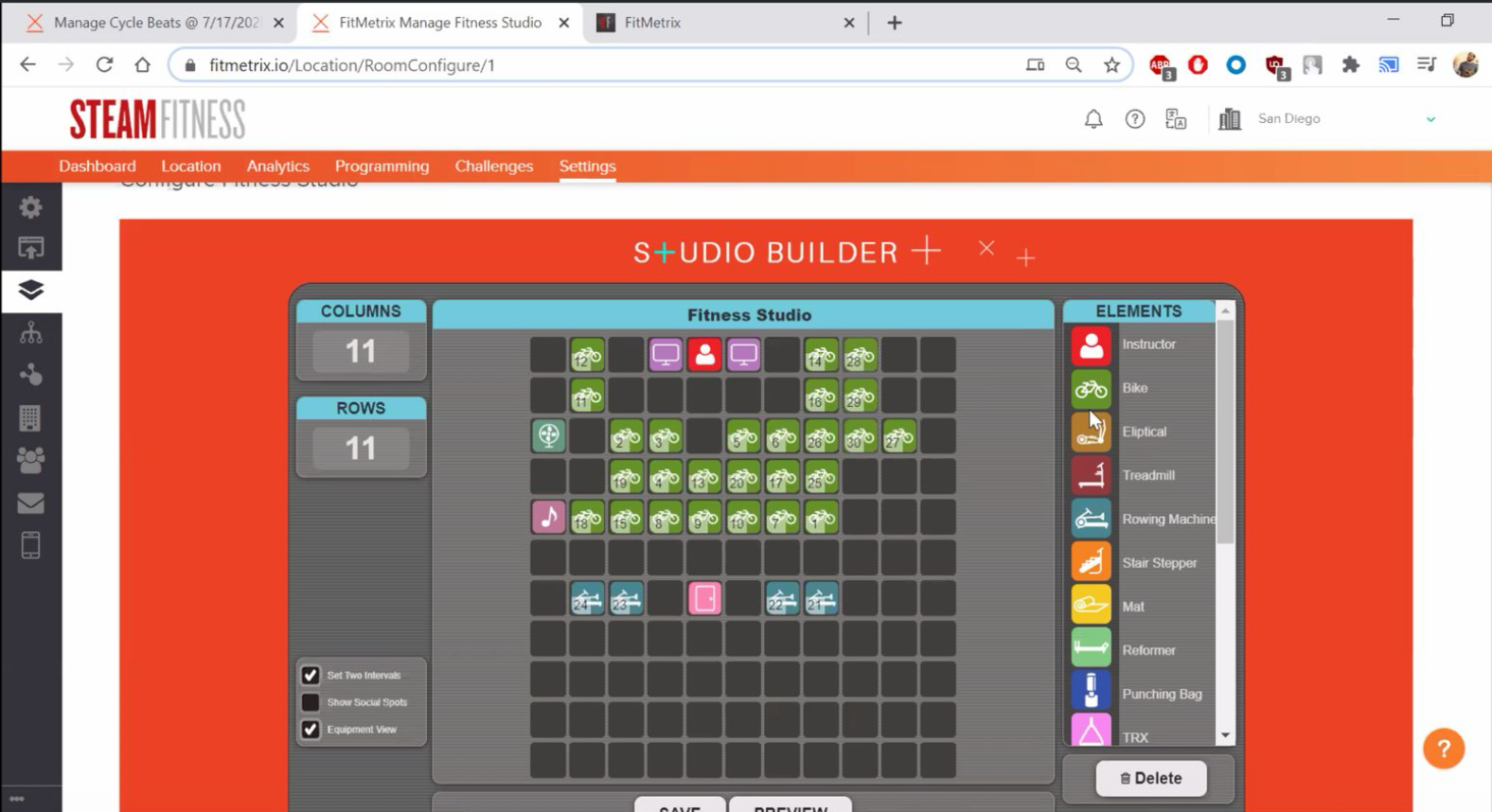
No visual structure, cluttered architecture
The existing product had several critical issues:
- No clear visual hierarchy in the interface
- Equipment types buried in tabs, making configuration confusing
- Room builder was outdated and only accessible to business owners—not the instructors who knew the space best
- Doesn't live in Mindbody Core Business software
- No custom naming or ability to assign layouts to rooms
From wizard to canvas
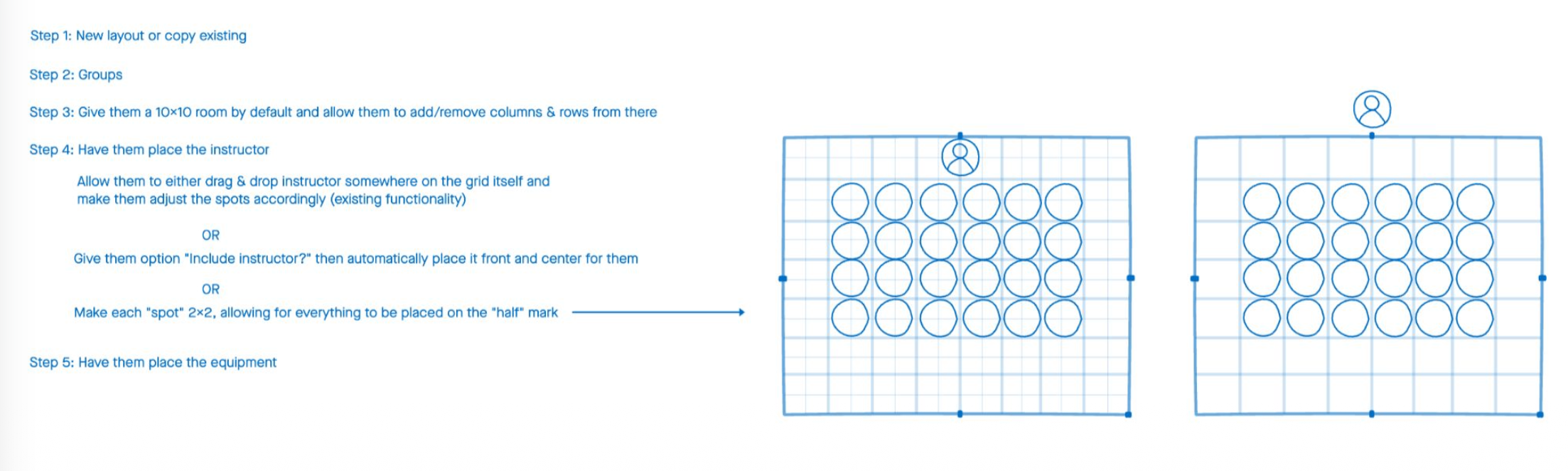
Initial designs explored multiple approaches:
Customer-Facing (Branded Web)
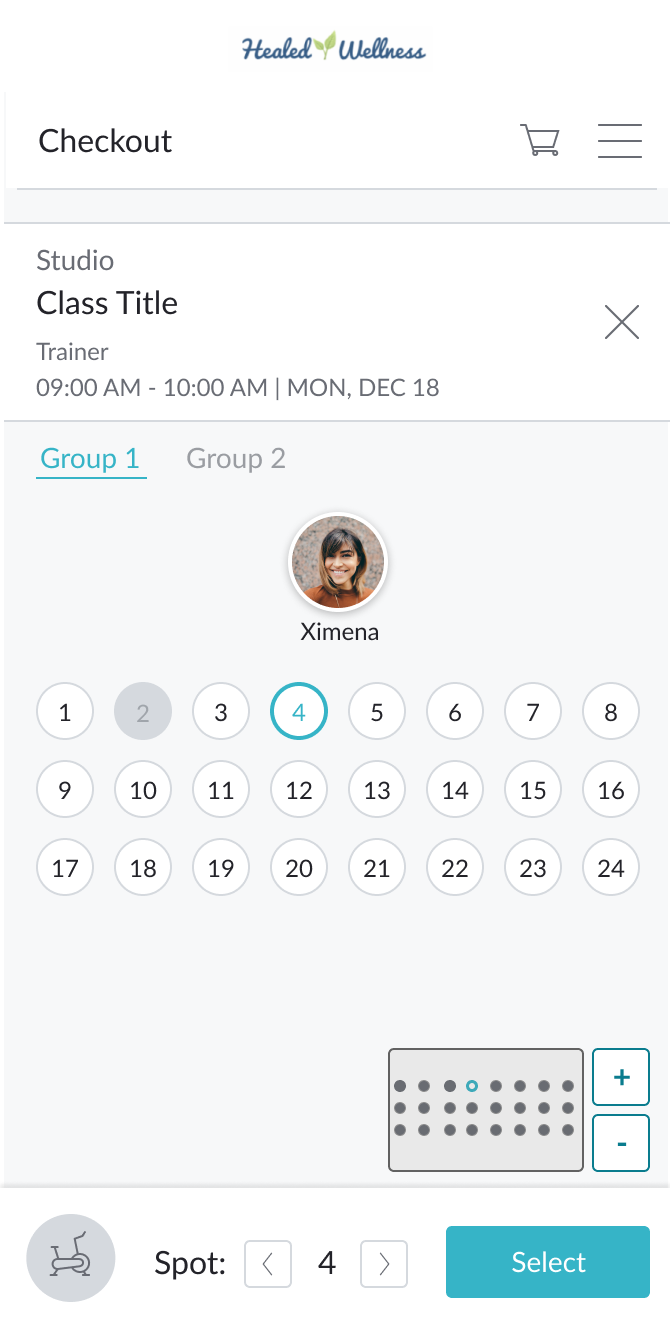
How will customers choose their spot? We explored various selection patterns including individual spot selection, group-based views, and equipment type filtering.
Business-Facing (Room Builder)
How will businesses set up their workout rooms? Early iterations included:
- Step-by-step wizard approach
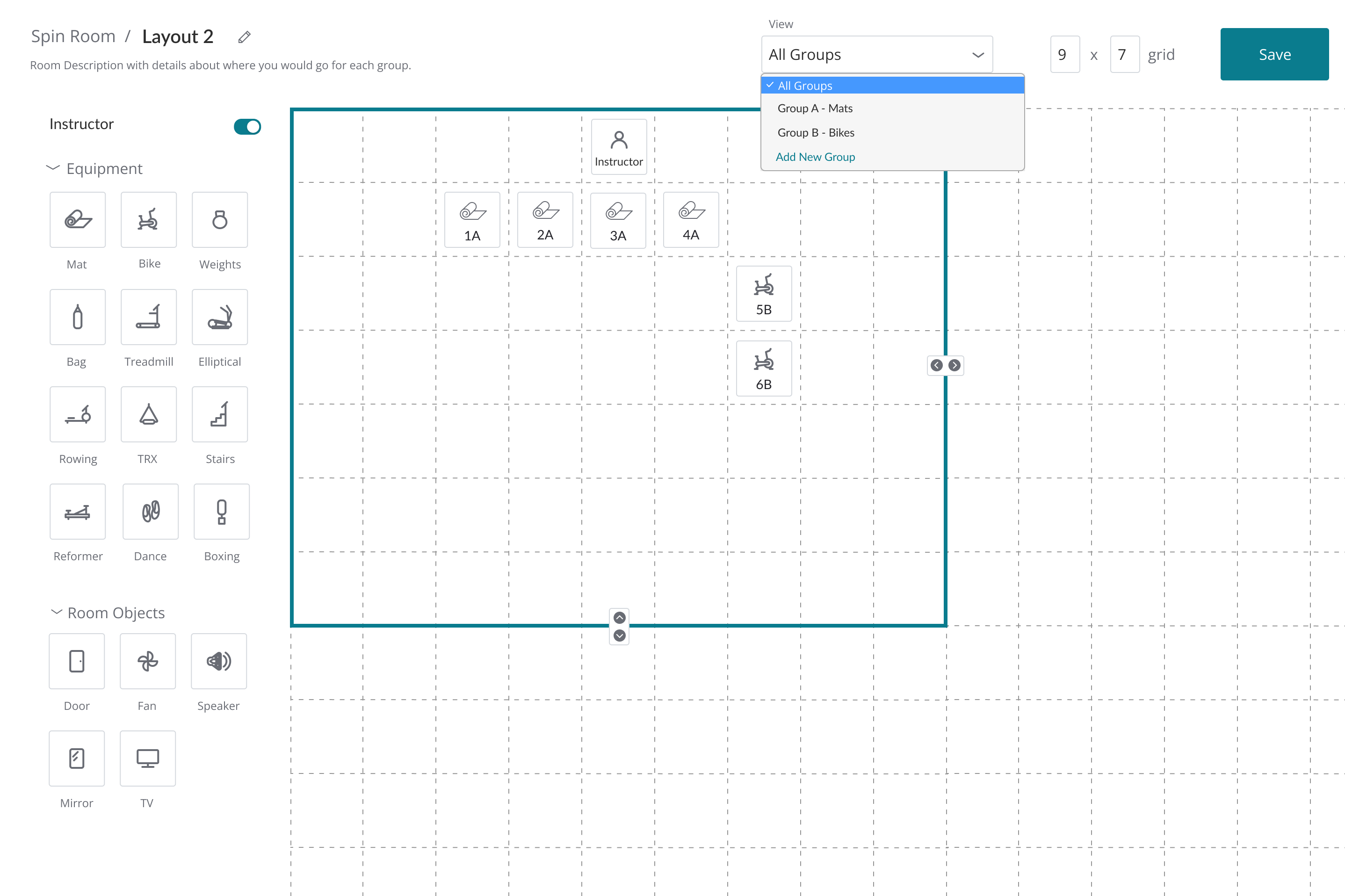
- Grid-based canvas with drag-and-drop
- Template library with customization
Testing Insights
Business mode:
- Large initial wizard doesn't really help because most users are averaging 10-14 students per class
- Tab for editing groups was not clear
- Squares are more clear than circles—more real estate
- Drag and drop interface was working, just needed more simplification
Consumer mode:
- Equipment type is irrelevant because "groups" are typically the different equipment types (Example: Group 1 is always Treadmills, Group 2 is always Weights)
Flexibility is Key
The canvas-based approach let businesses create any room configuration—and gave clients the visual clarity they needed to feel comfortable.
Drag-and-drop simplicity
The final design featured:
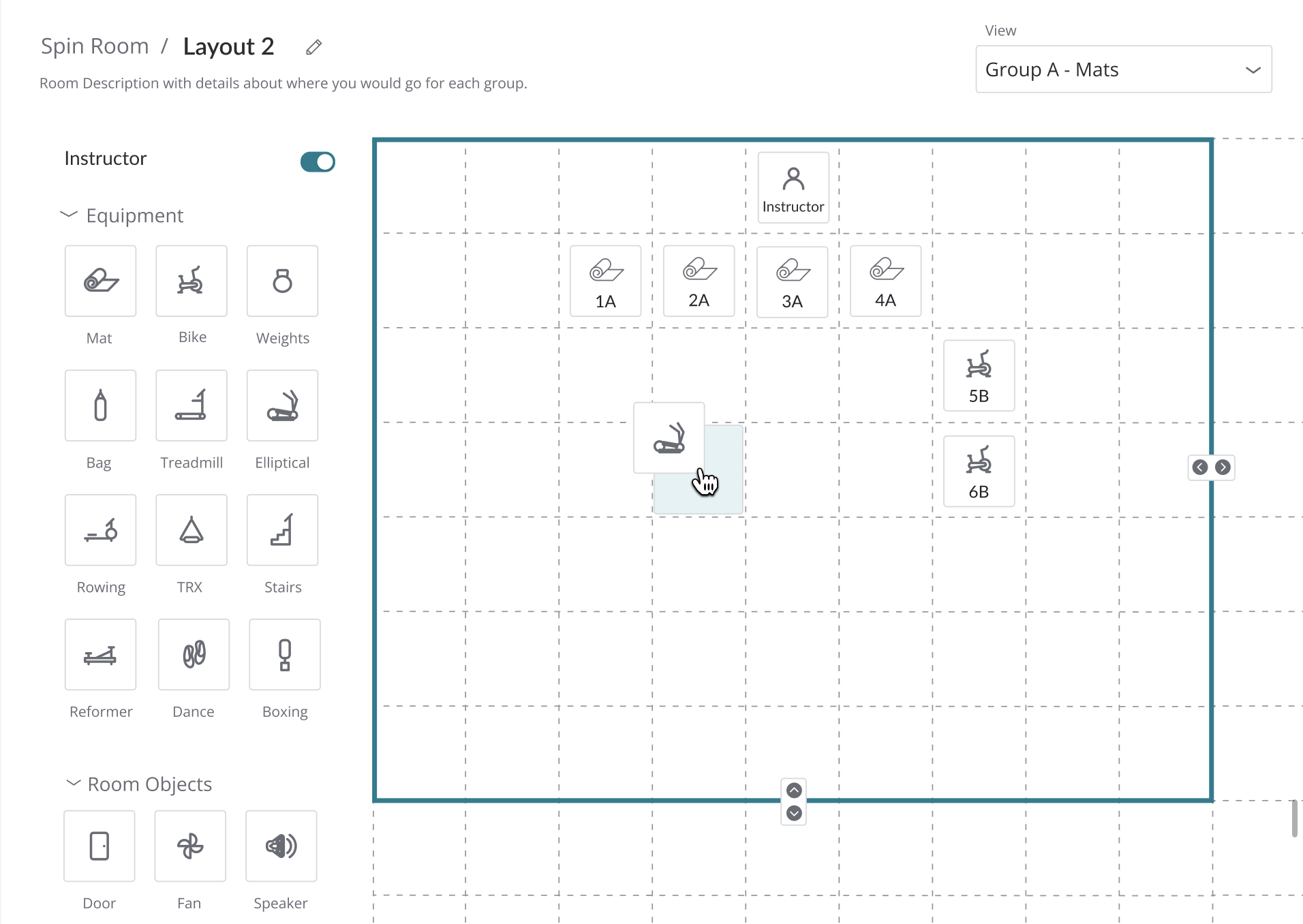
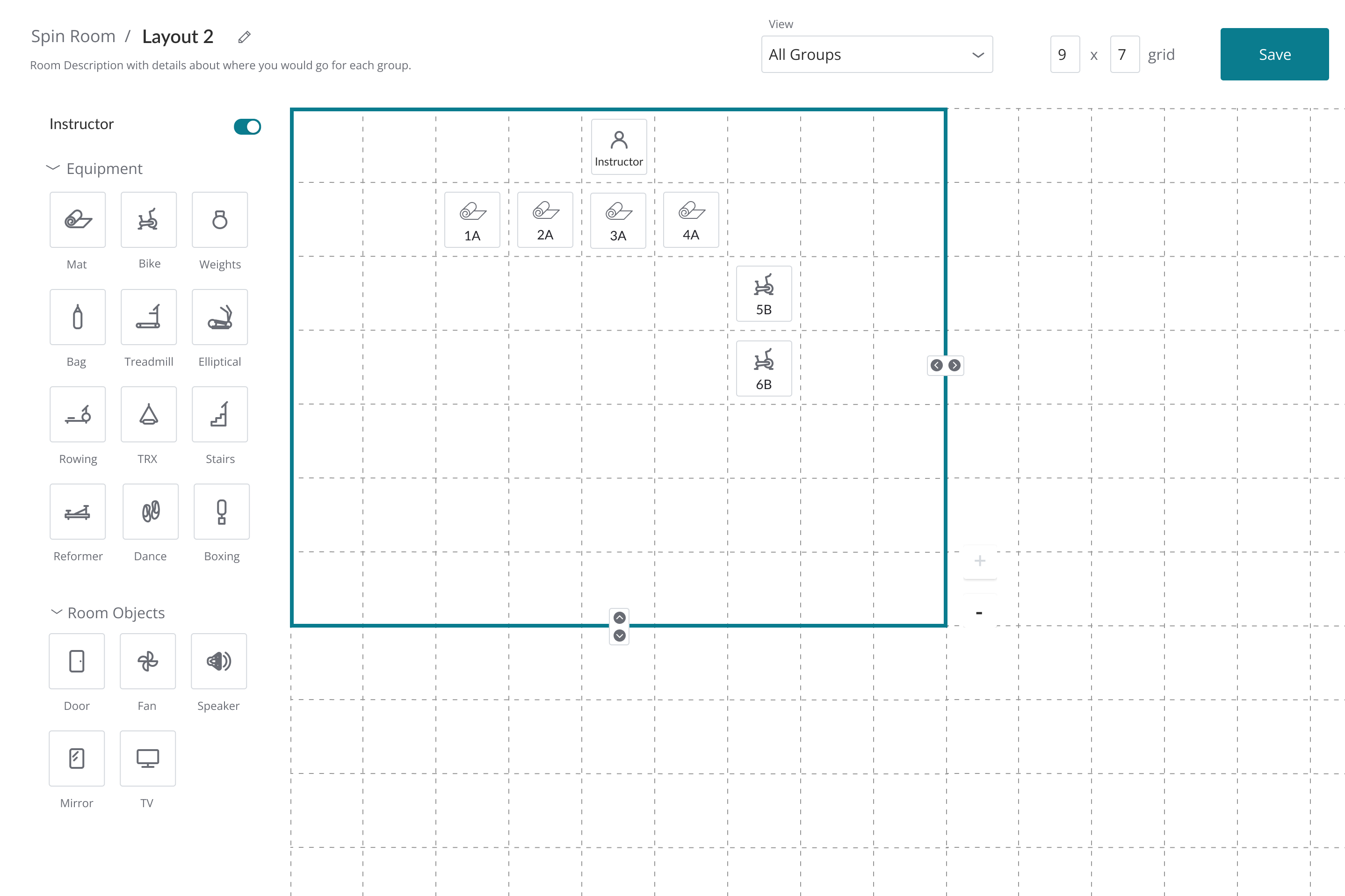
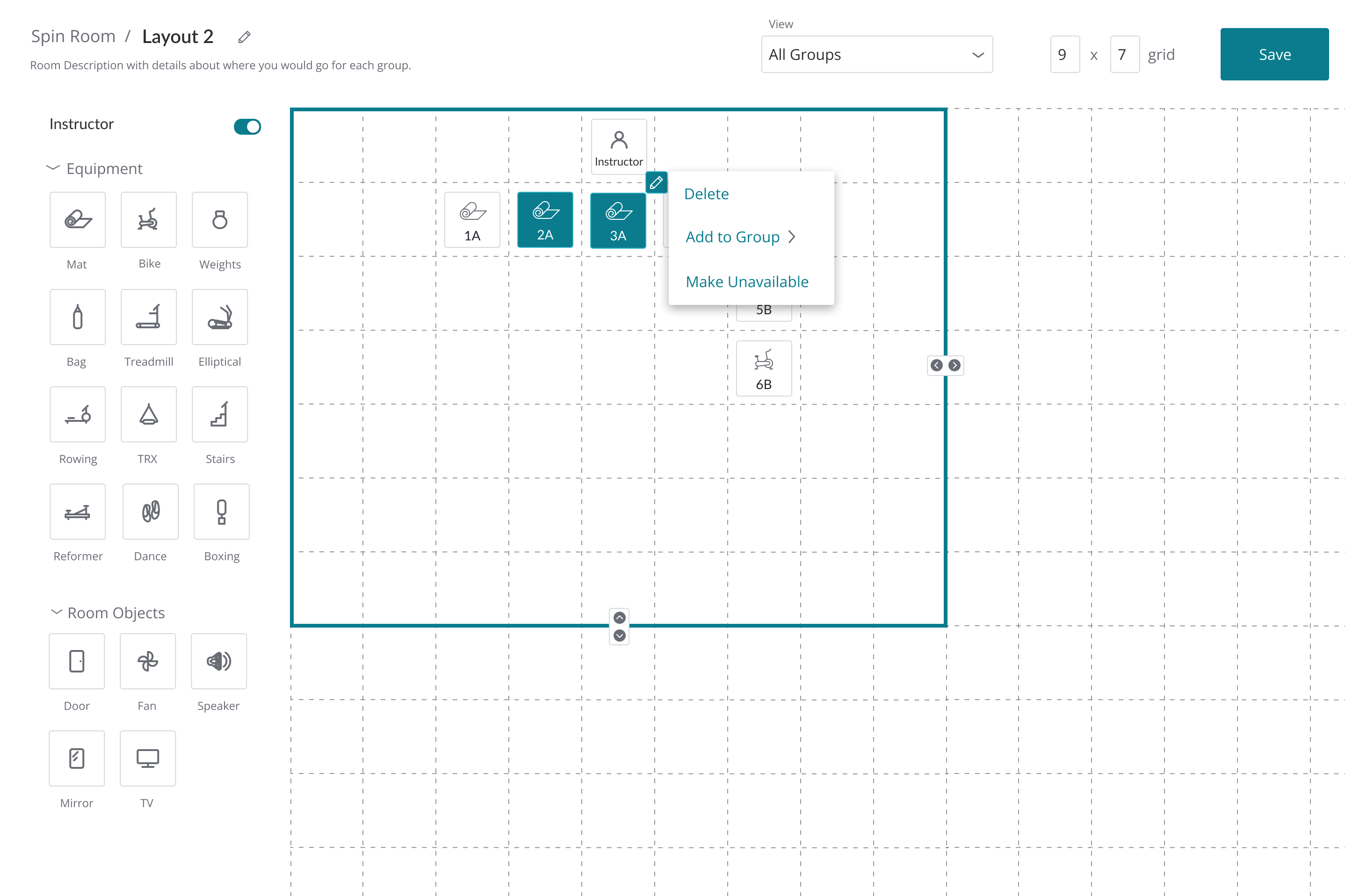
- Simplified grid system with intuitive drag-and-drop functionality
- Letter-based grouping (e.g., 2A is in group A) for clear organization
- Equipment icons that appear at the bottom when a spot is selected
- Instructor toggle that automatically places instructor at the top/middle spot
- Room object library including doors, fans, speakers, mirrors, and TVs
- Multi-platform consistency across Branded Web, Native Mobile App, and Mindbody Business Core
Click to select, then you're set
After signing up for a class, clients see the room layout, understand where equipment is placed, and click to select their preferred spot. The equipment type appears at the bottom when a spot is selected, providing context without cluttering the interface.
No more guessing where you'll be positioned. No more anxiety about being too close to others. Just simple, visual control.
Exceeded subscriber goals
Key Learnings
Engineering constraints drove creative solutions. This was a huge challenge considering how mediums and requirements were constantly changing based on engineering capabilities. I'm happy with what was delivered considering this.
Prototyping drag-and-drop was challenging. Testing drag and drop wasn't the easiest with Figma but once we had an HTML prototype ready we were able to test the feature exclusively.
User delight is real. Huge jaw drops from the current customers we tested with was very nice to experience! Studios were so excited to have this feature.
We exceeded our goals. Ultimate Plus membership increased during the pandemic by 20% one month after launch!